 Loading... Please wait...
FREE SHIPPING FOR ORDERS OVER $50
Categories
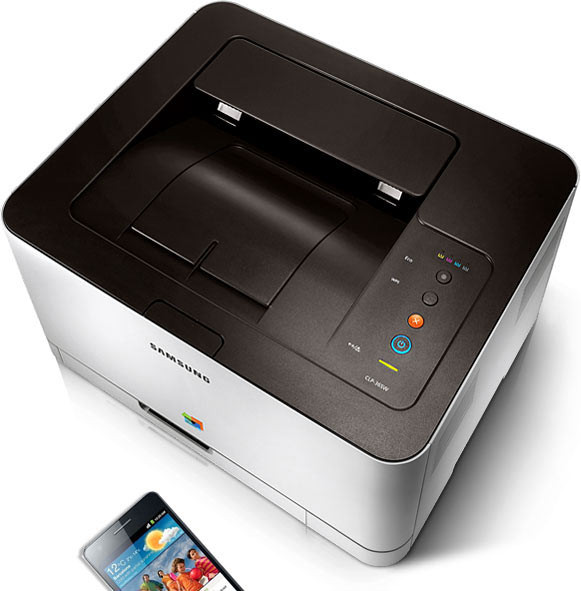


Samsung CLP-365W Color Laser Wireless Printer

Out of Stock
Product Description
- Samsung's latest COLOR LASER image processing technology, ReCP (Rendering Engine for Clean Pages) and Samsung's new Polymerized toner combine to deliver stunning, vivid professional color with exceptional clarity of both text and graphics.
- Scan/print from your iPhone, iPad, Android or Windows Phone mobile devices with the Samsung MobilePrint App. Print websites, images, PDFs, Google Docs and Microsoft Office documents via wireless network or Wi-Fi Direct without the need for a computer.
- Monthly duty cycle of 20,000 pages, you can count on your Samsung printer to always be ready.
- The CLP-365W has a footprint of just 15.0 x 12.2 x 8.3 Inches, and sound levels of less than 45 DBA. You won't notice it's there until you need it.
Product Description
Product Description
The Samsung CLP-365W features Samsung's latest image processing and polymerized toner formulation, for exceptionally vivid color and razor-sharp text and graphics.
From the Manufacturer
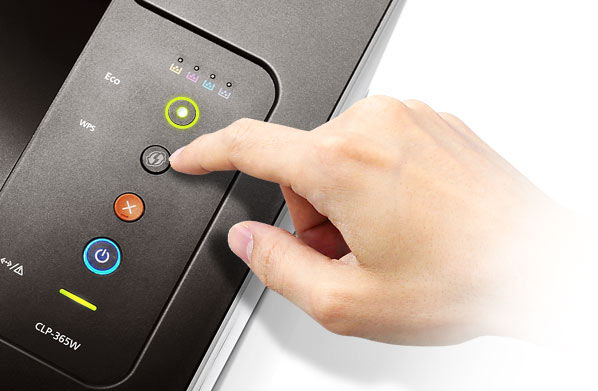
Print professional-looking documents in brilliant color from your mobile device using the CLP-365W Color Laser Printer from Samsung. A one-touch WPS button lets you easily connect the printer to your home Wi-Fi network, while an Eco button helps you save on toner and paper. Samsung's Mobile Print App enables you to print directly from your iPhone, iPad, Android, or Windows Phone mobile device. The printer is compact and exceptionally quiet, making it well suited for a home office or small business.

CLP-365W Color Laser Printer
At a Glance:
- ReCP image processing and polymerized toner for sharp, vivid prints
- One-touch WPS button to connect easily to your Wi-Fi network
- Eco button and Easy Eco driver help you save on toner and paper
- The Samsung Mobile Print App lets you print from your iOS, Android, or Windows Phone mobile device
- Maximum monthly duty cycle of 20,000 pages
- One-year warranty
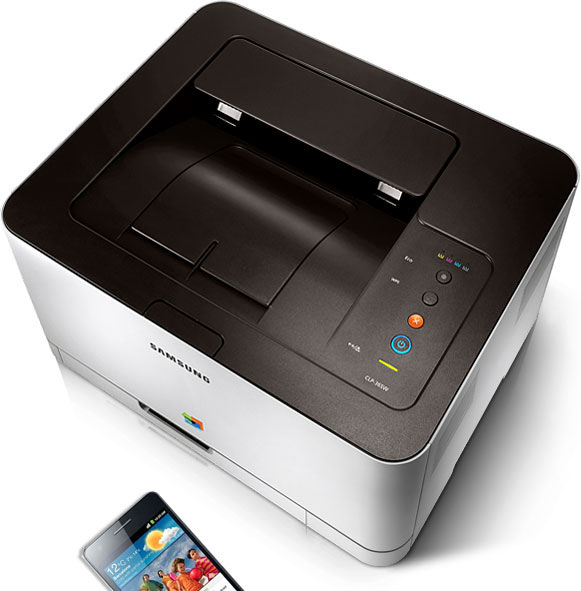
Produce high-quality color prints with ease from your home office or small business.

Easily print documents in brilliant color directly from your mobile device.
ReCP Technology for Brilliant Color
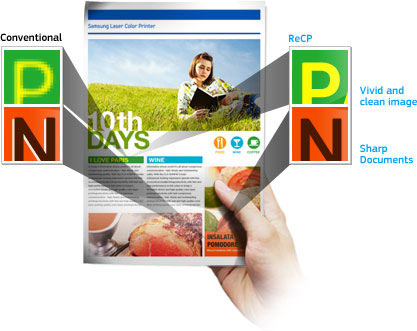
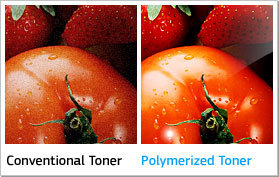

With the Samsung CLP-365W Color Laser Printer, you can produce high-quality color prints with ease right in your home office or small business. The printer features Samsung's ReCP (Rendering Engine for Clean Pages) image processing technology and polymerized toner formulation to deliver clear, sharp, vivid prints--whether they're graphics or text documents.
Connect to Your Wi-Fi Network with Ease

A one-touch Wi-Fi Protected Setup (WPS) button allows you to connect the CLP-365W to your home Wi-Fi network quickly and easily. As a result, you can print from any computer on the network. Simply press the WPS button on your Internet router and the WPS button on the CLP-365W, and the printer automatically configures and connects to your wireless network.
Print Directly from Your Smartphone or Tablet

Available for the iPhone, the iPad, and Android and Windows Phone devices, the award winning* Samsung Mobile Print App allows you to print directly from your mobile device to the printer over your wireless network. As a result, you can work smarter and faster without wasting time switching devices or transferring files. The app lets you print not only JPEGs and PDFs but also the full suite of Microsoft Office files, including Word documents, PowerPoint slides, and Excel spreadsheets.
Ideal for Economical Printing

A one-touch Eco button automatically enables several options, including printing in grayscale and skipping blanks pages. You can edit the default settings and even choose if it affects just the next job or all future jobs. And with Samsung's award winning** Easy Eco Driver, you can further edit your jobs before printing to ensure you're not wasting toner or paper. With easy-to-use setting such as remove images or bold text, the printer helps you save on toner and paper costs.
Product and Warranty Information
This printer is compatible with computers running 32- or 64-bit versions of Windows XP, Windows Server 2003, Windows Vista, Windows Server 2008, Windows Server 2008 R2, and Windows 7, as well as Mac OS X (versions 10.4 through 10.7 and Linux systems. It measures 8.3 by 15 by 12.2 inches (H x W x D) and weighs 21.7 pounds.
Compatible Toner
The CLP-365W Color Laser Printer uses the following toner and consumables:
- Black: CLT-K406S - Average page yield of 1,500 standard*** pages.
- Cyan: CLT-C406S - Average page yield of 1,000 standard*** pages.
- Magenta: CLT-M406S - Average page yield of 1,000 standard*** pages.
- Yellow: CLT-Y406S - Average page yield of 1,000 standard*** pages.
- Imaging Unit: CLT-R406 - Average of 16,000 black & white pages, or 4,000 color pages.
- Waste Toner Bottle: CLT-W406 - Average of 7,000 black & white pages, or 1,750 color pages.
The CLP-365W Color Laser Printer is backed by a one-year warranty.
What's in the Box
CLP-365W Color Laser Printer, power cord, USB 2.0 cable, starter toner, full imaging unit, waste toner bottle, driver/software CD with digital user manual, warranty card, and quick installation guide.
*The Samsung Mobile Print App earned the 2012 "Outstanding Mobile Print App" Award from Buyers Lab, Inc.
**Samsung Eco-Driver earned the 2012 "Outstanding Achievement" Award from Buyers Lab, Inc.
***Toner yields declared in accordance with ISO/IEC 19798 at 5-percent page coverage.
Product Reviews
)